prompt
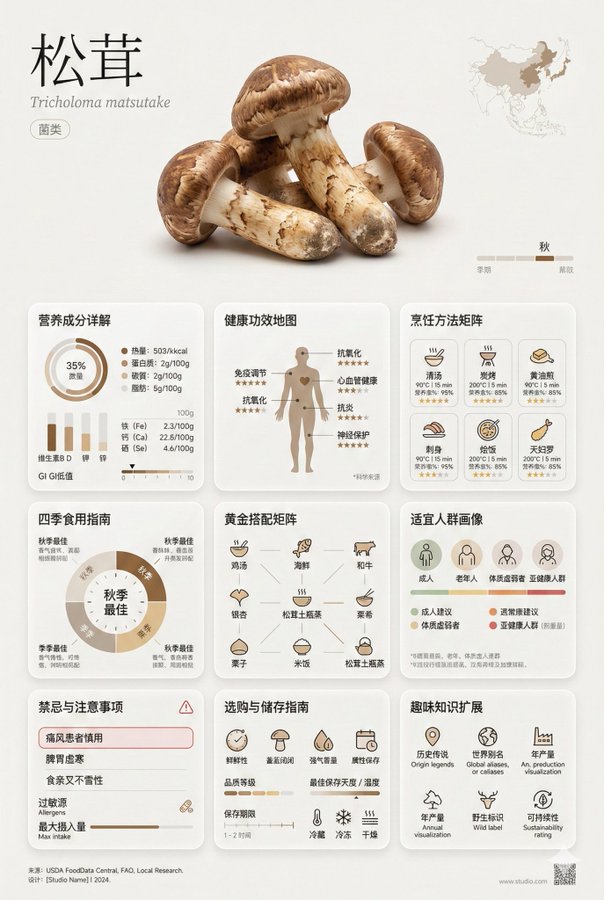
A minimalist art style [Asparagus] encyclopedic information card,
Museum exhibit-level design quality, information-rich yet visually restrained

【Overall Composition - Golden Ratio Layout】
- Aspect Ratio: 2:3 portrait or 3:4 square
- Three Major Visual Areas:
  * Top Display Area (30%): Large-sized food photography + Elegant title typography
  * Middle Information Area (60%): Multi-layered information module grid system
  * Bottom Annotation Area (10%): Source citation + Design details

【Top Display Area - Visual Focus】
• Food Name: Extra large font size, thin line typeface/Song typeface, increased letter spacing
• Latin Scientific Name: Small italic font, gray tone
• Food Classification Tag: Minimalist capsule-shaped label
• Main Image: Background-removed close-up of the food, studio lighting, subtle shadow
• Origin small map illustration
• Seasonal timeline line graphic

【Middle Core Information Area - 9 Major Modules】

1. Nutritional Composition Details
   - Circular chart: Calorie, protein, carbohydrate, fat proportions
   - Bar chart: Comparison of vitamin A/C/E/K content
   - List of mineral trace elements (calcium, iron, zinc, etc.)
   - Nutritional data per 100g accurately labeled
   - GI value (glycemic index) visual scale

2. Health Benefits Map
   - Human silhouette icon marking benefited areas
   - 5-6 main benefits iconically displayed
   - Benefit intensity level indicators (⭐⭐⭐⭐⭐)
   - Scientific research source small annotation

3. Cooking Methods Matrix
   - 8-10 cooking method icon grid
   - Best temperature/time parameters for each method
   - Nutrient retention percentage display
   - Recommended index star rating
   - Difficulty level color coding

4. Seasonal Eating Guide
   - Circular time wheel design
   - Marking best eating months
   - Explanation of benefits changes by season
   - Seasonal pairing suggestions

5. Golden Pairing Matrix
   - 9-grid pairing food small icons
   - Brief annotation of pairing reasons
   - Synergistic effects/antagonism warnings
   - Classic dish recipe examples
   - Nutritional complementarity connection diagram

6. Suitable Population Portraits
   - Population icons (children/pregnant women/elderly/athletes, etc.)
   - Recommendation degree color coding
   - Dosage suggestions for special populations
   - Age group classification guide

7. Contraindications and Precautions
   - Red warning box design
   - Clearly listed unsuitable populations
   - Allergen identification
   - Drug interaction reminders
   - Maximum intake warning line

8. Purchasing and Storage Guide
   - Freshness judgment points (color/texture/smell)
   - Quality grade division illustration
   - Best storage temperature/humidity data
   - Shelf life timeline
   - Refrigeration/freezing/room temperature icon guide

9. Fun Knowledge Expansion
   - Historical anecdotes (origins/legends)
   - Alternative names from around the world
   - Annual production data visualization
   - Organic/GMO identification explanation
   - Sustainability rating

【Visual System - Minimalist Art Aesthetics】

Color Scheme:
- Primary Color: Extracted from the natural color of the food itself
- Secondary Color: Earth tones (beige/oat/flax/graphite gray)
- Emphasis Color: Restrained use of 1-2 high-purity colors
- Background: Pure white or very light gray (#FAFAFA)
- Text: Dark gray instead of pure black (#2C2C2C)

Font System:
- Title: Ultra-thin line sans-serif font (Helvetica Neue UltraLight)
- Body: Modern geometric font (DIN/Futura)
- Data: Monospace font (Roboto Mono)
- Chinese: Source Han Sans Light/Fangzheng Lantinghei
- Font Size Hierarchy: 6-level font size system (48/32/24/16/12/10pt)

Icon System:
- Uniform 2pt line width
- Consistent rounded corners (2px)
- 24x24px grid alignment
- Stroke rather than fill priority
- Use of negative space

Layout System:
- 12-column grid system
- 8pt baseline grid alignment
- Module spacing: 24pt/32pt/48pt
- Margins: Page margins starting at 48pt
- Card corner radius: 8-12px
- Subtle dividing lines: 0.5pt, 15% transparency

Texture Details:
- Subtle gradient background (3-5% color value change)
- Soft shadows (0 4px 24px rgba(0,0,0,0.04))
- Frosted glass effect (backdrop-filter: blur(20px))
- Subtle height differences between elements (elevation system)
- Light color fill in data areas (5% transparency)

【Information Visualization Principles】
- Data charts: Edward Tufte's minimalist data ink principle
- Remove unnecessary decorations
- Chart grid lines very faint (10% transparency)
- Data points accurately labeled
- Trend lines smooth and natural

【Breathing Space Creation】
- White space between modules ≥ 25% of module content width
- Text line spacing 1.6-1.8 times
- Paragraph spacing ≥ 2 line heights
- Text-image combination white space rule

Style Keywords:
Swiss International Style graphic design, Japanese Wabi-Sabi aesthetics, Bauhaus functionalism,
Scandinavian minimalism, Dieter Rams design philosophy,
Muji visual language, Kinfolk magazine aesthetics,
Apple product design language, Google Material Design essence
Related prompts
Suggested alternatives based on similar intent and language.
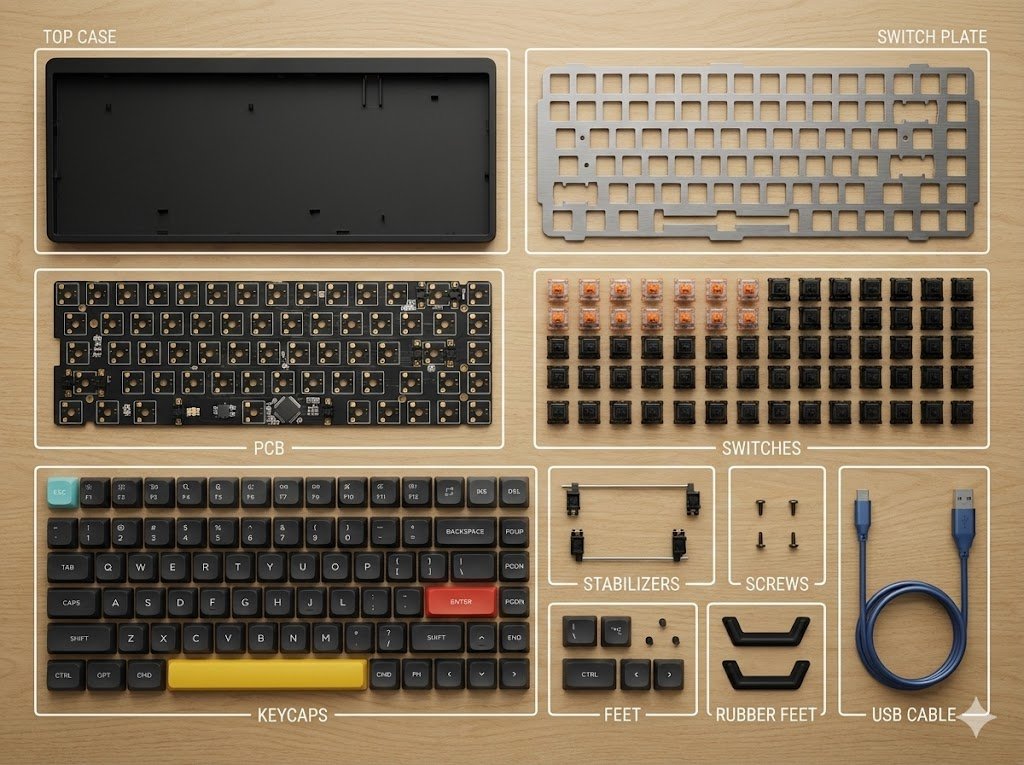
Item Disassembly Diagram
This prompt is for product designers needing a clear visual breakdown of an item, helping to create detailed disassembly diagrams for documentation or presentations.
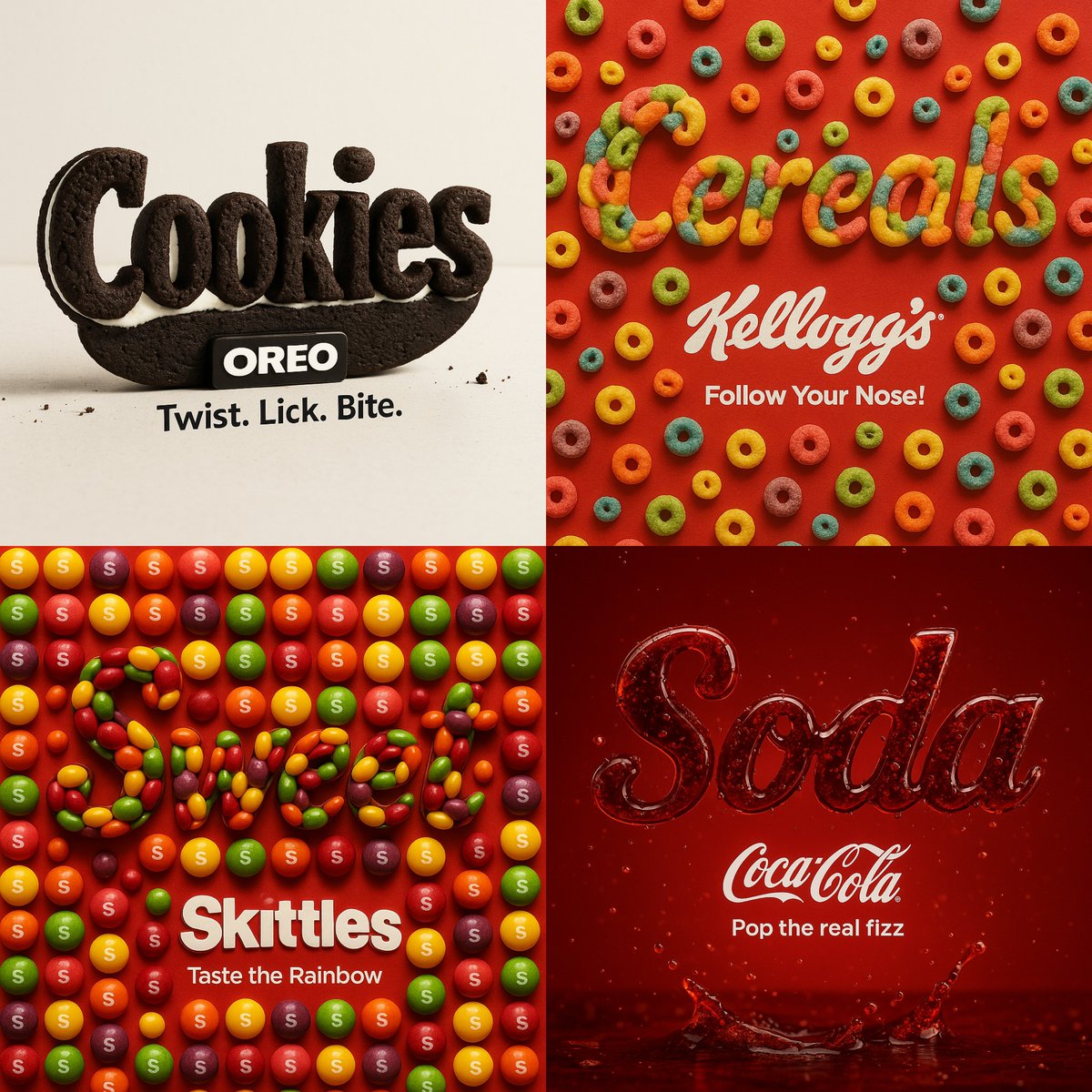
Eat Your Words
This prompt is for graphic designers creating product visuals, helping them produce eye-catching brand representations using food textures.

Christmas Special - Christmas Skincare Set Promotion Card
This prompt is for designers creating promotional cards for skincare products during Christmas, helping produce elegant marketing materials.
Why creators keep returning to AI Prompt Copy
AI Prompt Copy grew from late-night experiments where we packaged the most effective prompt ideas into a single workspace so every creator could ship faster.
Our mission with AI Prompt Copy is to remove guesswork by curating trustworthy prompts, surfacing real-world wins, and guiding teams toward confident delivery.
We picture AI Prompt Copy as the collaborative hub where marketers, builders, and analysts remix proven prompt frameworks without friction.
Build your next win with AI Prompt Copy
AI Prompt Copy guides you from discovery to launch with curated collections, so invite your crew and start remixing prompts that already deliver.
Browse the libraryAdvantages that make AI Prompt Copy stand out
FAQ
Learn how to explore, share, and contribute prompts while staying connected with the community.
How should I tailor Encyclopedic Information Card before running it?
Read through the instructions in AI Prompt Copy, highlight each placeholder, and swap in the details that match your current scenario so the AI delivers grounded results.
What is the best way to collaborate on this prompt with my team?
Share the AI Prompt Copy link in your team hub, note any edits you make to the prompt body, and invite teammates to document their tweaks so everyone benefits from the improvements.
How can I save useful variations of this prompt?
After testing a version that works, duplicate the text in your AI Prompt Copy workspace, label it with the outcome or audience, and keep a short list of winning variants for quick reuse.
What can I do with AI Prompt Copy?
Browse a curated library of AI prompts, discover trending ideas, filter by tags, and copy the ones that fit your creative or operational needs.
How do I use a prompt from the AI Prompt Copy library?
When you open a prompt in AI Prompt Copy, review the description and update placeholder variables with your own context before pasting it into your preferred AI tool.
How can I share AI Prompt Copy prompts with my team?
Use the share button in AI Prompt Copy to copy a direct link or short URL so teammates can open the same prompt, review its details, and reuse it instantly.
Can I submit my own prompts to AI Prompt Copy?
Yes. Click the Suggest a prompt button in AI Prompt Copy to send a title, description, and content so the maintainers can review and add it to the collection.
Where do AI Prompt Copy prompts come from?
Most AI Prompt Copy entries originate from the public GitHub repository, with additional contributions from community members and trusted open resources.
How do I leave feedback or report an issue?
Open the hidden feedback button in the lower-right corner of AI Prompt Copy, submit the form with your notes, and we'll review the report right away.
How do I onboard new teammates with our prompt playbook?
Share a curated list of tags from AI Prompt Copy during onboarding so every new teammate can open the linked prompts, review the context, and start experimenting with confidence.
What workflow keeps campaign collaborators aligned?
Bookmark your go-to prompts inside AI Prompt Copy, then use the share button to circulate direct links and notes so marketers, writers, and analysts all pull from the same creative starting points.
Can I adapt prompts for teams in regulated industries?
Yes. Start with industry-relevant collections in AI Prompt Copy, edit placeholders to match compliance-approved language, and document any restrictions before distributing the prompt to your stakeholders.
Where do I find help tailoring prompts to my use case?
Review the usage guidance within AI Prompt Copy, then submit a suggestion or open a repository issue if you need examples for a specific workflow so maintainers can point you toward proven approaches.