Professional Jewelry Type Design Full Process Display
prompt
Professional {Jewelry Type} Design Full Process Display | {Main Material} Commercial Grade Design Process Visualization, Professional Design System Document Style.
【Main Material】: {Gold} (e.g., Tiger's Eye, Jade, South Red Agate)
【Jewelry Type】: {Bracelet} (e.g., Beads, Pendants, Rings, Earrings)
【Smart Configuration of Accessories】: Automatically match based on main material (metal fittings, spacer beads, elastic lines, etc.)

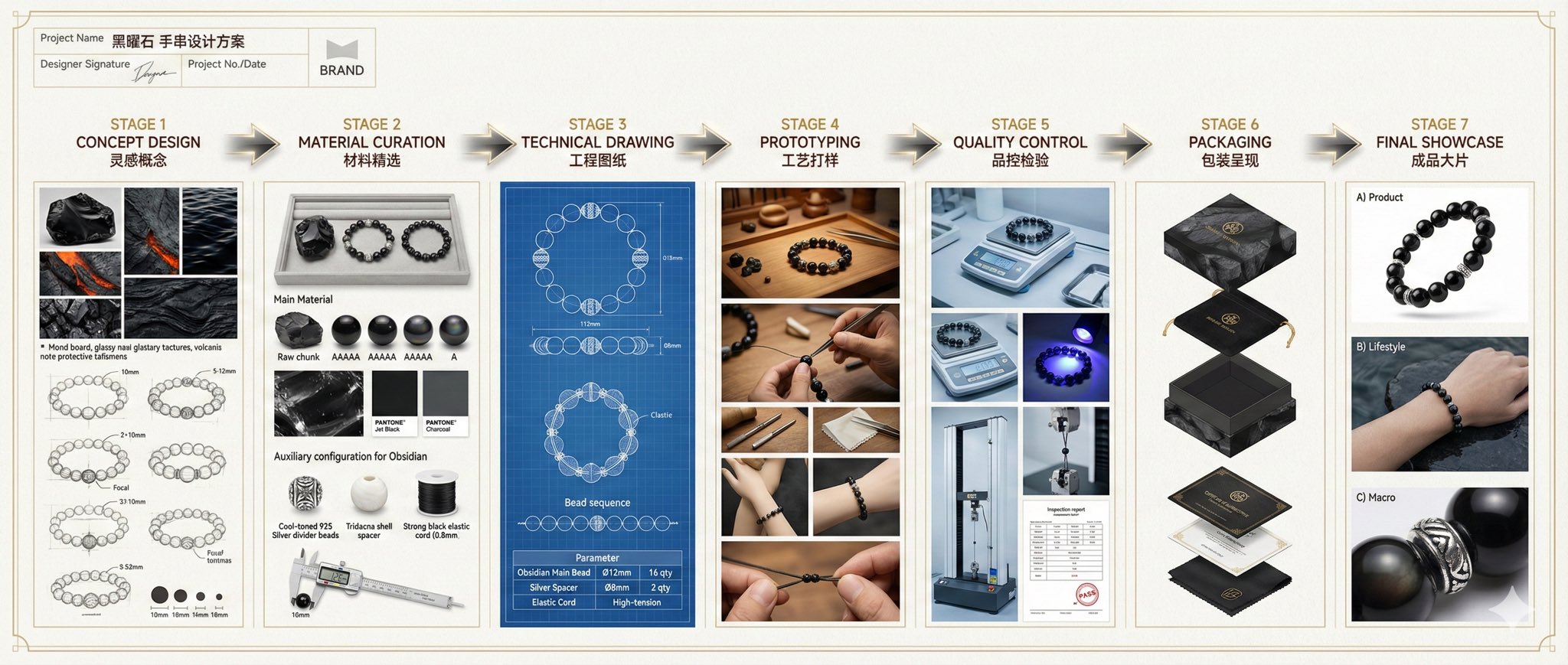
Professional Jewelry Design Full Process Display Diagram | Complete Design Process from Concept to Finished Product

Project Information Section (Top Left Corner)
Project Name: 「{Main Material} {Jewelry Type} Design Plan」
Designer Signature Area (muyang)
Project Number and Date
Brand Logo Placeholder
Golden Decorative Border

First Stage: Design Concept CONCEPT DESIGN
Visual Presentation:
Inspiration Mood Board: Photos of {Main Material} raw stones, texture close-ups, color extraction
Hand-drawn Sketches: 3-4 design proposals, pencil sketch style
Cultural Elements Integration (e.g., Tiger's Eye → Eastern Auspicious Beast Patterns)
Scale Marking, Key Dimension Notes
Annotated Content:
Design Concept Explanation (Bilingual: Chinese and English)
Target Audience Positioning
Budget Range Estimation

Second Stage: Material Selection MATERIAL CURATION
Main Material Display Area:
Comparison of {Main Material} raw ore to finished bead
4-6 pieces quality grading display (AAAAA → A grade)
Texture close-ups under a microscope
Color Card Comparison (Pantone color number annotation)
Professional Jewelry Tray Presentation
Smart Matching Area for Accessories:
Metal Fittings: Choose warm color main materials based on main material tone (Tiger's Eye, South Red) → 18K Rose Gold/Red Copper
Cool color main materials (Lapis Lazuli, Aquamarine) → 925 Silver/Platinum
Neutral main materials (Obsidian, Agate) → Stainless Steel/Titanium Steel
Spacer/Matching Beads: Size ratio coordination (1/3-1/2 of main bead diameter)
Material Comparison (e.g., Tiger's Eye with Conch/Shell)
Quantity Ratio Suggestions
Stringing Materials: Beads → Elastic Line (Weight Annotation)
Necklace → Stainless Steel Wire/Gold Chain
Transparent Display Box with Dividers
Lighting: Soft top light + Warm side light to highlight material luster

Third Stage: Technical Drawings TECHNICAL DRAWING
CAD Professional Drafting:
Three Views (Front/Side/Top), accurate to 0.1mm
Sectional View to show internal structure (e.g., spacer bead hole position)
Dimension Marking Lines (Arrow + Number)
Bead Arrangement Sequence Diagram
Knotting Technique Detail Diagram
Blueprint Background + White Line Frame, Architectural Drawing Style
Parameter Table:
| Part | Size | Quantity | Material |
| {Main Material} Main Bead | Ø{X}mm | {N} pieces | Natural {Main Material} |
| Spacer Bead | Ø{Y}mm | {M} pieces | {Accessory Material} |
| Fittings | - | 1 set | {Metal Material} |

Fourth Stage: Prototyping PROTOTYPING
Production Process:
Bead Pairing: Craftsman measures with calipers, color difference comparison
Polishing: Grinding Machine/Hand Polishing Table
Hole Inspection: Professional lighting to view holes
Fitting Adjustment: Model display on wrist/neck, circumference adjustment
Detail Close-ups: Metal clasp installation process, macro photography
Environment Setup:
Traditional Workbench (Wood/Marble Surface)
Professional Jewelry Tools Display (Tweezers, Magnifying Glass, Measuring Tools)
Warm Color Work Light
Craftsman Hand Close-ups (Showcasing Craftsmanship)

Fifth Stage: Quality Control QUALITY CONTROL
Inspection Scene:
UV Light Inspection for {Main Material} Authenticity
Electronic Scale for Accurate Weight Measurement (Weight Display)
Vernier Caliper for Dimension Verification
Tensile Test for Elastic Line Strength
Inspection Report Close-up (Certificate Number, Test Data)
Split Screen Display:
Left Side: Inspection Equipment Operation
Right Side: Enlarged Display of Inspection Results
Bottom: Qualified Stamp/Quality Inspection Signature
Color Tone: Cool Tone with a Technological Feel, White Laboratory Environment

Sixth Stage: Packaging Presentation PACKAGING
Packaging System Display:
Inner Packaging: Custom Velvet Bag/Satin Box, Brand Gold Foil Logo
Outer Packaging: Artistic Gift Box, {Main Material} Texture Printing
Accessory Kit: Material Certificate Card
Care Instructions (Illustrated)
Brand Story Card
Cleaning Cloth/Sealing Bag
Composition: Exploded View Layout, Layered Progression

Seventh Stage: Final Showcase FINAL SHOWCASE

Group A - Product Photography:
Pure White Background Floating Shots, 360° Angles
Close-up Shots: {Main Material} Cat's Eye Effect/Crystal Texture
Metal Fittings Reflective Details
Size Reference Objects (Coins/Ruler)
Professional Studio Four-Point Lighting
Group B - Scene Application:
Real Person Wearing on Wrist/Neck
Life-like Scenes (Coffee Table, Desk, Outdoors)
Different Lighting Environments (Natural Light/Night Scene Lighting)
Dynamic Display (Hand Movement Creating Light Trails)
Group C - Detail Magnification:
100x Macro: {Main Material} Internal Structure
Metal Interface Craftsmanship Close-up
Knotting Weaving Texture
Brand Engraving Details

Overall Visual Norms
Layout Structure
Horizontal Timeline: 7 Stages Evenly Distributed, 21:9 Cinematic Ratio
Process Arrows: Three-Dimensional Metallic Texture, Gradient Glow Effect
Information Hierarchy: Level 1 Title: Bold Chinese + Light English, Gold Color
Level 2 Title: Black Font, Size 12
Body Annotation: Song Typeface/Siyuan Black Typeface, Size 9
Color System
Background Tone: #F8F6F0 Ivory White
Main Material Color: Extracted from {Main Material} Natural Color (Tiger's Eye → Amber Gold Brown)
Metal Color: Gold #D4AF37
Silver #C0C0C0
Rose Gold #B76E79
Highlight Color: Dark Brown #3E2723 (Text/Border)
Photography Standards
Resolution: Minimum 4K (3840×2160)
Depth of Field: F8-F11 to Maintain Clarity Across Stages
Color Temperature: 5500K Standard Daylight
Format: RAW Original for Post-Processing, Retaining Maximum DetailRelated prompts
Suggested alternatives based on similar intent and language.
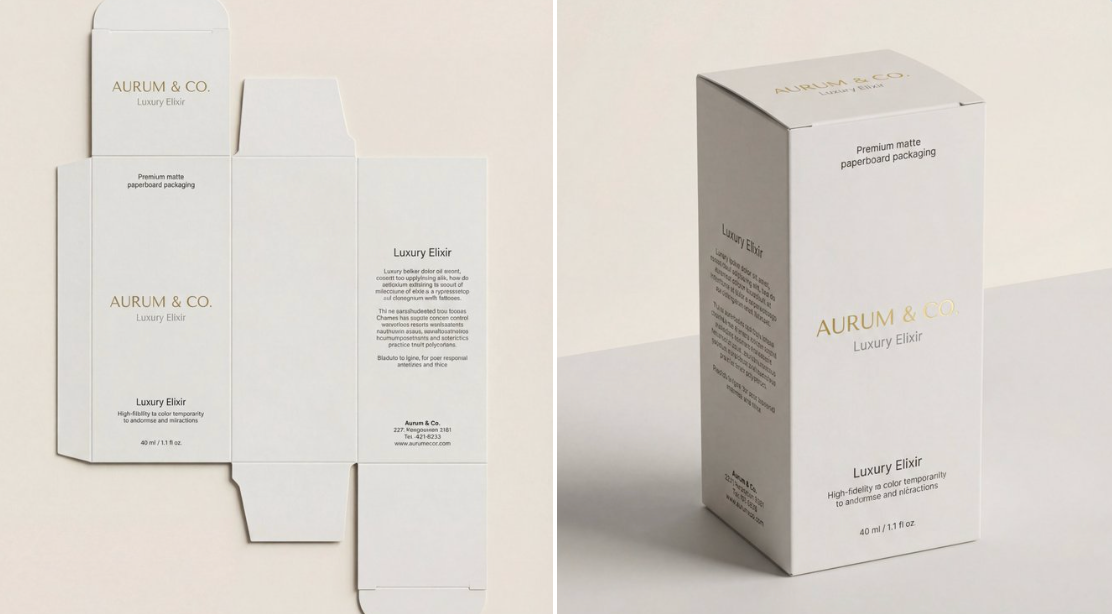
Dieline to 3D Product Visualization
This prompt is for designers needing a realistic 3D visualization of packaging, helping them showcase product designs effectively in presentations.
Why creators keep returning to AI Prompt Copy
AI Prompt Copy grew from late-night experiments where we packaged the most effective prompt ideas into a single workspace so every creator could ship faster.
Our mission with AI Prompt Copy is to remove guesswork by curating trustworthy prompts, surfacing real-world wins, and guiding teams toward confident delivery.
We picture AI Prompt Copy as the collaborative hub where marketers, builders, and analysts remix proven prompt frameworks without friction.
Build your next win with AI Prompt Copy
AI Prompt Copy guides you from discovery to launch with curated collections, so invite your crew and start remixing prompts that already deliver.
Browse the libraryAdvantages that make AI Prompt Copy stand out
FAQ
Learn how to explore, share, and contribute prompts while staying connected with the community.
How should I tailor Professional Jewelry Type Design Full Process Display before running it?
Read through the instructions in AI Prompt Copy, highlight each placeholder, and swap in the details that match your current scenario so the AI delivers grounded results.
What is the best way to collaborate on this prompt with my team?
Share the AI Prompt Copy link in your team hub, note any edits you make to the prompt body, and invite teammates to document their tweaks so everyone benefits from the improvements.
How can I save useful variations of this prompt?
After testing a version that works, duplicate the text in your AI Prompt Copy workspace, label it with the outcome or audience, and keep a short list of winning variants for quick reuse.
What can I do with AI Prompt Copy?
Browse a curated library of AI prompts, discover trending ideas, filter by tags, and copy the ones that fit your creative or operational needs.
How do I use a prompt from the AI Prompt Copy library?
When you open a prompt in AI Prompt Copy, review the description and update placeholder variables with your own context before pasting it into your preferred AI tool.
How can I share AI Prompt Copy prompts with my team?
Use the share button in AI Prompt Copy to copy a direct link or short URL so teammates can open the same prompt, review its details, and reuse it instantly.
Can I submit my own prompts to AI Prompt Copy?
Yes. Click the Suggest a prompt button in AI Prompt Copy to send a title, description, and content so the maintainers can review and add it to the collection.
Where do AI Prompt Copy prompts come from?
Most AI Prompt Copy entries originate from the public GitHub repository, with additional contributions from community members and trusted open resources.
How do I leave feedback or report an issue?
Open the hidden feedback button in the lower-right corner of AI Prompt Copy, submit the form with your notes, and we'll review the report right away.
How do I onboard new teammates with our prompt playbook?
Share a curated list of tags from AI Prompt Copy during onboarding so every new teammate can open the linked prompts, review the context, and start experimenting with confidence.
What workflow keeps campaign collaborators aligned?
Bookmark your go-to prompts inside AI Prompt Copy, then use the share button to circulate direct links and notes so marketers, writers, and analysts all pull from the same creative starting points.
Can I adapt prompts for teams in regulated industries?
Yes. Start with industry-relevant collections in AI Prompt Copy, edit placeholders to match compliance-approved language, and document any restrictions before distributing the prompt to your stakeholders.
Where do I find help tailoring prompts to my use case?
Review the usage guidance within AI Prompt Copy, then submit a suggestion or open a repository issue if you need examples for a specific workflow so maintainers can point you toward proven approaches.