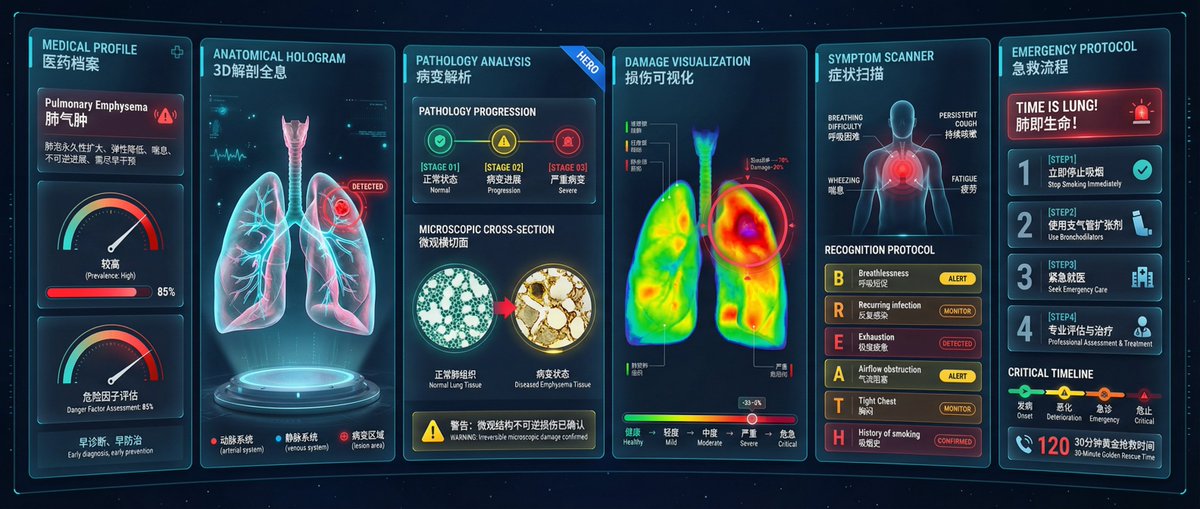
Medical Monitoring Dashboard
prompt
Premium medical diagnostic dashboard for pulmonary embolism detection and monitoring, 6-column modular medical interface layout with equal-width glass-morphism panels, professional respiratory
healthcare visualization system, futuristic medical HUD design with cinematic quality, 6-COLUMN HORIZONTAL MODULAR LAYOUT spanning full ultra-wide screen, each column contains one specialized diagnostic
module with consistent glass-morphism styling, columns separated by thin vertical cyan dividers (1px, 20% opacity), all modules same height creating balanced grid composition, MODULE 1 (leftmost, 14%
width): MEDICAL PROFILE panel, header: 'M1 (14%) MEDICAL PROFILE' in 14px tracking-wide, glass-morphism card displaying patient diagnosis: Pulmonary Emphysema with
red alert badge, clinical description: Permanent enlargement of alveoli, reduced elasticity, wheezing, irreversible progression, early intervention required, risk level indicator showing High (Prevalence: High) with red progress bar at 85%, danger factor
assessment gauge in red zone, small text: early diagnosis, early prevention, MODULE 2 (16% width): ANATOMICAL 3D HOLOGRAM panel, header: 'M2 (16%) ANATOMICAL HOLOGRAM', DOMINANT holographic 3D lung anatomy floating above circular platform with blue underglow, photorealistic transparent lungs showing left and right lobes with cyan/pink dual-color rendering,
pulmonary artery network highlighted in bright cyan glow, blood clot/embolism marked with pulsing red alert badge labeled 'DETECTED' in upper right quadrant of right lung, trachea and bronchi tree
visible in upper portion with detailed branching structure, slow 360-degree rotation (20 seconds per cycle), bottom labels: arterial system with red alert dot, venous system with
blue dot, lesion area with red 'DETECTED' badge, MODULE 3 (20% width): PATHOLOGY ANALYSIS panel, header: 'M3 (20%) PATHOLOGY ANALYSIS' with blue 'HERO' badge, top section:
PATHOLOGY PROGRESSION stages showing 3 green/yellow/red stage badges, [STAGE 01] normal, [STAGE 02] progression, [STAGE 03] severe in color-coded sequence, middle
section: MICROSCOPIC CROSS-SECTION showing dual comparison images, left image: normal healthy alveolar tissue with regular honeycomb structure labeled normal lung tissue, right image: diseased
emphysema tissue with enlarged irregular air spaces and inflammation labeled diseased state, bottom warning: Warning: A critical inclusion body and calcification deposit number with yellow alert icon, MODULE 4 (20%
width): DAMAGE VISUALIZATION panel, header: 'M4 (20%) DAMAGE VISUALIZATION', large thermal damage heatmap showing front view of lungs with rainbow gradient overlay, color gradient
from green (healthy) → yellow → orange → red (severe damage) → deep red hotspots, concentrated red/orange damage zones in upper right lung indicating embolism location, left lung mostly green/yellow
showing healthier tissue, anatomical legend indicators: upper lobe zones with codes and colors, whole lung function damage map showing chronic symptoms, bottom: horizontal rainbow gradient scale bar from green to red showing damage severity spectrum, MODULE 5 (16% width): SYMPTOM SCANNER panel, header: 'M5 (16%) SYMPTOM
SCANNER', top: front-facing human body silhouette with highlighted regions, chest area marked with red pulsing zone indicating respiratory distress, symptom labels: BREATHING DIFFICULTY,
PERSISTENT COUGH, WHEEZING, FATIGUE positioned around body diagram, middle section: RECOGNITION PROTOCOL with B-R-E-A-T-H vertical acronym system, B: Breathlessness with 'Check Apnea activity' and
yellow 'ALERT' badge, R: Recurring infection with 'History check' and orange 'MONITOR' badge, E: Exhaustion with 'Daily activity impact' and red 'DETECTED' badge, A: Airflow obstruction with 'Measure
airflow' and yellow 'ALERT' badge, T: Tight Chest with 'Symptom input' and orange alert, H: History of smoking with 'Patient history' and red 'CONFIRMED' badge, each line color-coded with status
severity (green/yellow/orange/red), MODULE 6 (rightmost, 14% width): EMERGENCY PROTOCOL panel, header: 'M6 (14%) EMERGENCY PROTOCOL', large red alert banner: TIME IS LUNG! with pulsing
urgent notification, 4-step protocol cards in vertical stack with bilingual labels, [STEP1]: Immediately stop smoking, [STEP2]: Use bronchodilator, [STEP3]: Emergency medical treatment, [STEP4]: Professional assessment and treatment, bottom section: CRITICAL TIMELINE showing emergency stages,
timeline bar: onset green → worsening yellow → emergency orange → critical red, large phone icon with '120' emergency number and target badge showing 30-minute golden rescue time,
UNIFIED GLASS-MORPHISM DESIGN SYSTEM across all 6 modules, each panel background: rgba(5, 15, 35, 0.15) translucent dark blue with 14px backdrop blur, 1px solid border
rgba(6, 182, 212, 0.25) cyan glow on all module edges, module headers: semi-transparent top bar with gradient rgba(10, 30, 60, 0.4), 18px rounded corners on all cards and sub-panels, consistent shadow:
0 8px 32px rgba(0, 0, 0, 0.6) for depth, internal cards within modules: additional glass layers with rgba(255, 255, 255, 0.05) white tint, MEDICAL RESPIRATORY COLOR SYSTEM, background: deep space blue
gradient #0a0f1e → #050a15 with starfield dots (0.5-1px white particles, 30% opacity), healthy tissue: electric cyan #06b6d4 and cool blue #3b82f6, diseased tissue: amber #f59e0b (moderate) → red
#ef4444 (severe) → deep red #dc2626 (critical), alert badges: green 'NORMAL', yellow 'ALERT', orange 'MONITOR', red 'DETECTED/CRITICAL', text: primary white #ffffff, secondary 70% opacity white, labels
50% opacity cyan-grey, accent glow: cyan #22d3ee rim lighting on active elements, BILINGUAL CHINESE/ENGLISH LABELING SYSTEM throughout, all module headers show both English name and Chinese translation,
medical terms in both languages for international professional use, percentage indicators shown as (14%), (16%), (20%) reflecting module width distribution, Chinese characters in clean sans-serif
font (Noto Sans SC or similar), English text in Inter or Roboto family for clinical legibility, ULTRA-WIDE 21:9 ASPECT RATIO optimized for medical monitoring displays, 4K resolution 3840×1600 pixels
ensuring diagnostic clarity, 6-column modular grid system with flexible responsive design, module width distribution: 14% + 16% + 20% + 20% + 16% + 14% = 100%, consistent 12px horizontal spacing between
modules, DICOM medical imaging standard compliance for CT/microscopy sections, HIPAA-compliant patient data display with privacy considerations, typography: bilingual font stack supporting both Latin
and CJK characters, WCAG AA accessibility with minimum 4.5:1 contrast for medical text, professional pulmonology department quality visualization, CINEMATIC MEDICAL HUD AESTHETIC, subtle animated
elements: hologram rotation, pulsing alerts, scrolling waveforms, rim glow effects on critical alerts (red pulse at 1s intervals), soft cyan underglow on holographic platform creating sci-fi medical
atmosphere, depth layering: background starfield → glass panels → hologram projection forward, consistent light source from top-left creating unified shadow direction, micro-interactions: hover states
brighten panels by 10%, selected modules show stronger cyan border glow, PULMONARY EMBOLISM SPECIFIC DIAGNOSTIC FEATURES, anatomical accuracy in lung structure rendering showing correct lobar anatomy,
realistic microscopic tissue comparison showing alveolar destruction in emphysema, medically accurate color-coded severity progression from normal to critical stages, clinical symptom recognition
protocol following BREATH assessment framework, emergency response timeline aligned with actual pulmonary emergency protocols, thermal damage mapping reflecting actual perfusion/ventilation mismatch
patterns in PE, suitable for respiratory medicine department, pulmonology clinic, emergency department, or medical education.
Related prompts
Suggested alternatives based on similar intent and language.
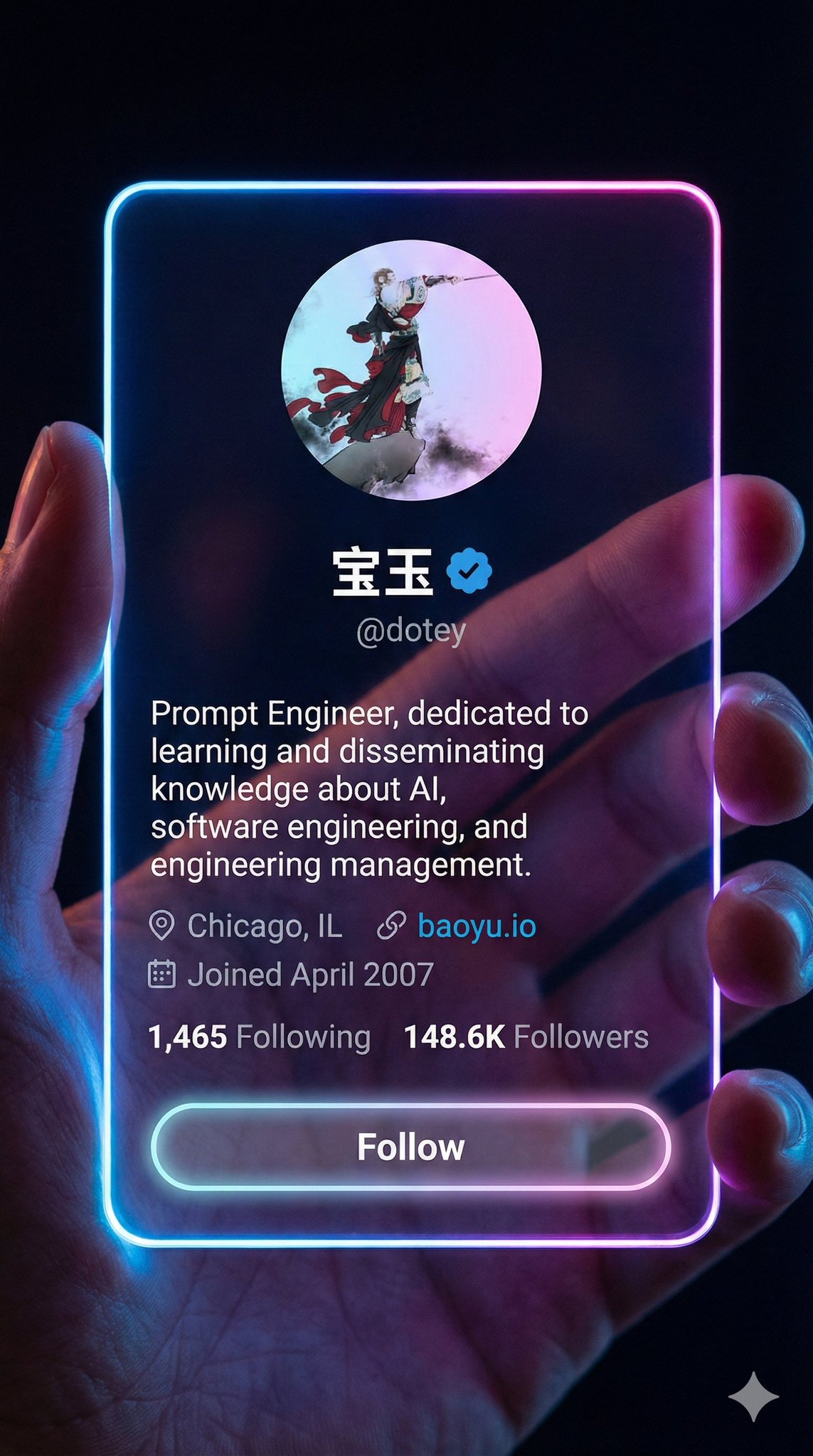
Cyberpunk Aesthetic Style Card
This prompt is for designers creating futuristic social media interfaces, helping them visualize a cyberpunk aesthetic for app mockups.
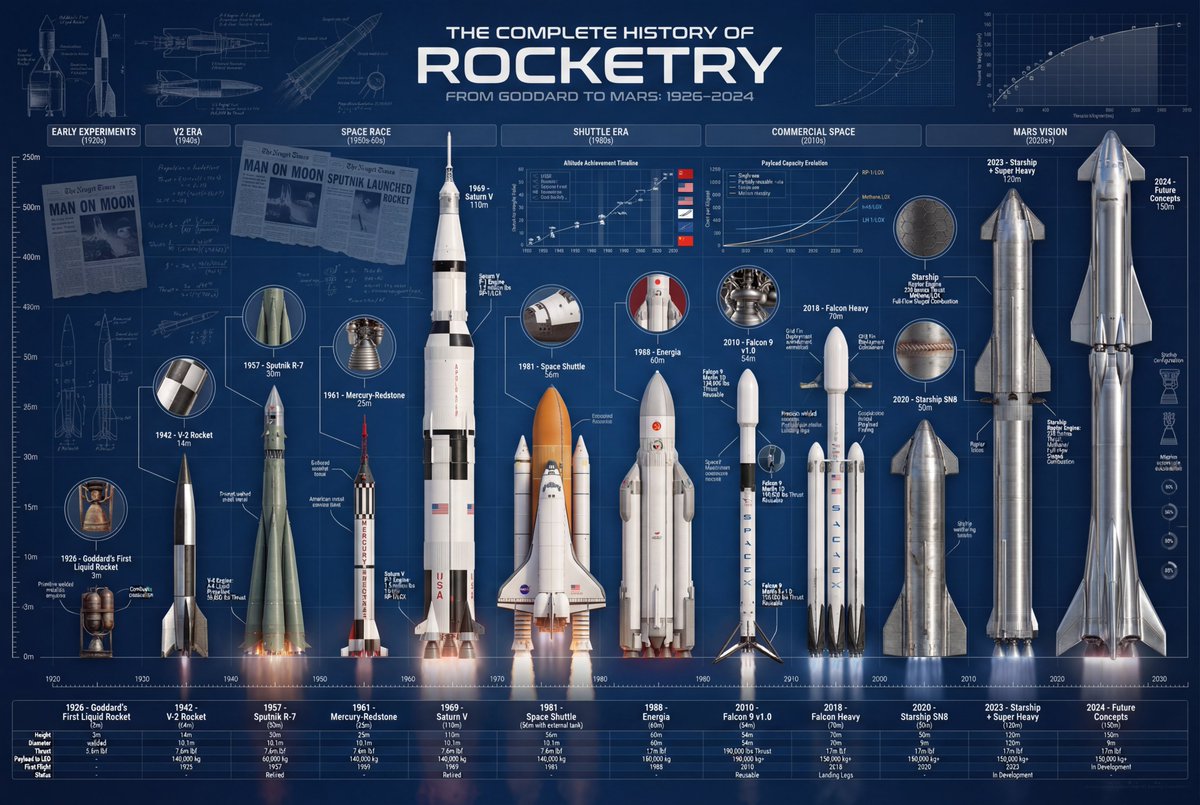
Product Development Trajectory Chart
This prompt is for designers creating detailed product evolution infographics to visually represent a product's historical development.
Why creators keep returning to AI Prompt Copy
AI Prompt Copy grew from late-night experiments where we packaged the most effective prompt ideas into a single workspace so every creator could ship faster.
Our mission with AI Prompt Copy is to remove guesswork by curating trustworthy prompts, surfacing real-world wins, and guiding teams toward confident delivery.
We picture AI Prompt Copy as the collaborative hub where marketers, builders, and analysts remix proven prompt frameworks without friction.
Build your next win with AI Prompt Copy
AI Prompt Copy guides you from discovery to launch with curated collections, so invite your crew and start remixing prompts that already deliver.
Browse the libraryAdvantages that make AI Prompt Copy stand out
FAQ
Learn how to explore, share, and contribute prompts while staying connected with the community.
How should I tailor Medical Monitoring Dashboard before running it?
Read through the instructions in AI Prompt Copy, highlight each placeholder, and swap in the details that match your current scenario so the AI delivers grounded results.
What is the best way to collaborate on this prompt with my team?
Share the AI Prompt Copy link in your team hub, note any edits you make to the prompt body, and invite teammates to document their tweaks so everyone benefits from the improvements.
How can I save useful variations of this prompt?
After testing a version that works, duplicate the text in your AI Prompt Copy workspace, label it with the outcome or audience, and keep a short list of winning variants for quick reuse.
What can I do with AI Prompt Copy?
Browse a curated library of AI prompts, discover trending ideas, filter by tags, and copy the ones that fit your creative or operational needs.
How do I use a prompt from the AI Prompt Copy library?
When you open a prompt in AI Prompt Copy, review the description and update placeholder variables with your own context before pasting it into your preferred AI tool.
How can I share AI Prompt Copy prompts with my team?
Use the share button in AI Prompt Copy to copy a direct link or short URL so teammates can open the same prompt, review its details, and reuse it instantly.
Can I submit my own prompts to AI Prompt Copy?
Yes. Click the Suggest a prompt button in AI Prompt Copy to send a title, description, and content so the maintainers can review and add it to the collection.
Where do AI Prompt Copy prompts come from?
Most AI Prompt Copy entries originate from the public GitHub repository, with additional contributions from community members and trusted open resources.
How do I leave feedback or report an issue?
Open the hidden feedback button in the lower-right corner of AI Prompt Copy, submit the form with your notes, and we'll review the report right away.
How do I onboard new teammates with our prompt playbook?
Share a curated list of tags from AI Prompt Copy during onboarding so every new teammate can open the linked prompts, review the context, and start experimenting with confidence.
What workflow keeps campaign collaborators aligned?
Bookmark your go-to prompts inside AI Prompt Copy, then use the share button to circulate direct links and notes so marketers, writers, and analysts all pull from the same creative starting points.
Can I adapt prompts for teams in regulated industries?
Yes. Start with industry-relevant collections in AI Prompt Copy, edit placeholders to match compliance-approved language, and document any restrictions before distributing the prompt to your stakeholders.
Where do I find help tailoring prompts to my use case?
Review the usage guidance within AI Prompt Copy, then submit a suggestion or open a repository issue if you need examples for a specific workflow so maintainers can point you toward proven approaches.