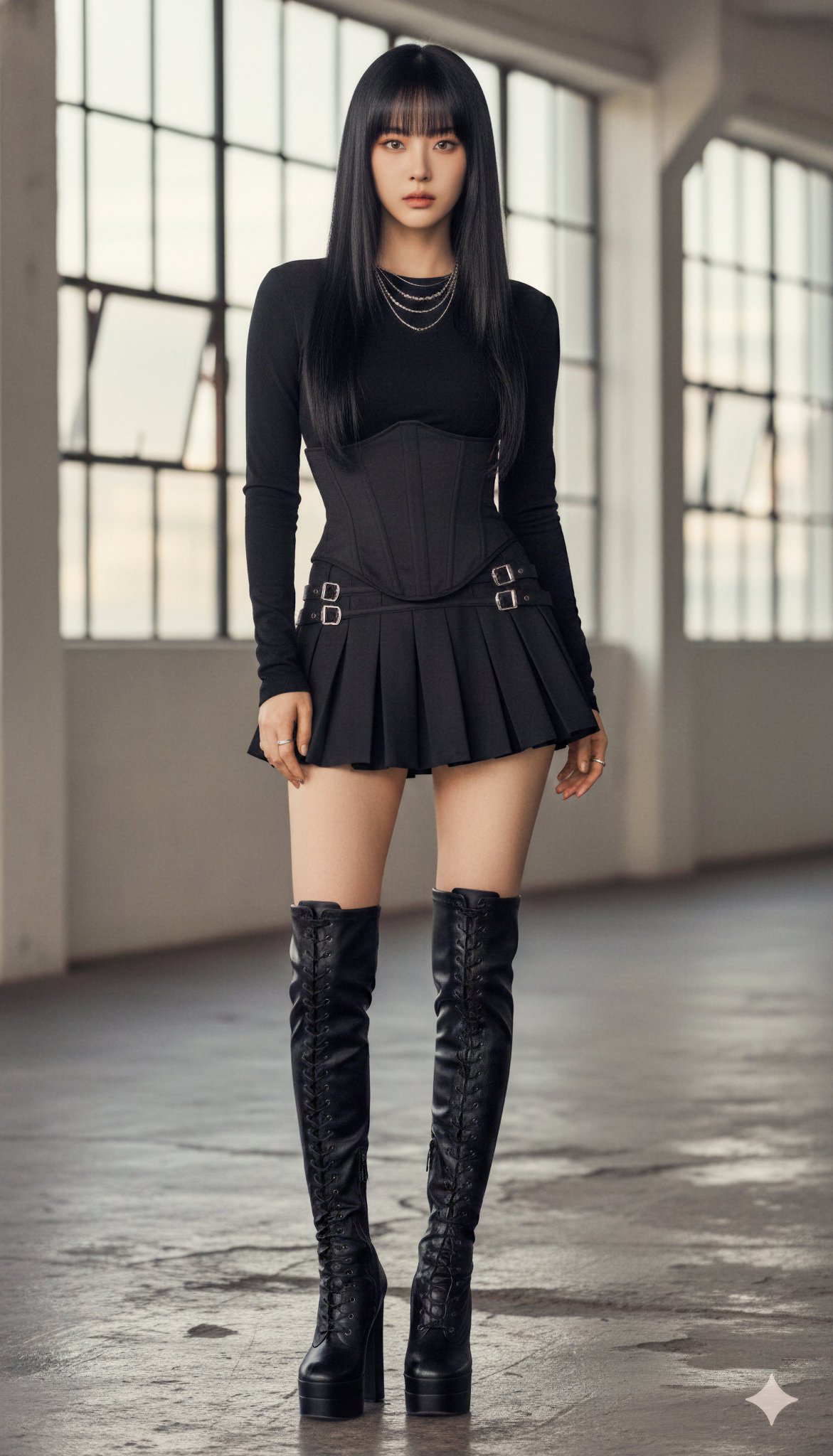
Nano Banana Gigs That Pay
A simple playbook for stay-at-home creators: what to offer, which prompts to use, and how to deliver clean results fast.
A simple playbook for stay-at-home creators: what to offer, which prompts to use, and how to deliver clean results fast.
You're trying to earn from home, not wrestle with layers all day.
This playbook covers small, repeatable photo edits people already pay for: wedding touchups, family portraits, and clean profile photos for social and dating.
You're not building a giant project. Build a small prompt library you can reuse to deliver fast, consistent results.
Treat each request as a simple service with clear scope. Don't promise miracles. Keep the change list small and believable and you avoid endless revisions. If a request needs heavy manipulation, decline it or simplify it. You're optimizing for stability, not perfection.
This is not a promise of income. It's a practical workflow so you can complete common requests quickly and keep a steady flow of small gigs.
Typical flow: you receive a photo, confirm the client has the right to use it, ask for the mood they want, pick the closest prompt, deliver one safe version and one slightly bolder version. Most clients only want a single clean result, but the second option makes you look professional and cuts back-and-forth. What matters is staying fast and consistent rather than perfect and slow.
Project name is Nano Banana Photo Gigs Playbook. Target user is a stay-at-home creator who wants paid edits without becoming a full-time designer. Goal is a repeatable prompt library for wedding, family, and profile edits. Output is ready prompts, how to use them, how to tweak them, and delivery checks.
This document records what works, why it works, and how to keep results stable. It is written so a non-expert can deliver paid work without heavy Photoshop.
Use it as a living file. Each time a prompt works, save that version and add a short note about the best reference photo type.
Think of this as a small production line. Input is one clear reference photo. Output is one clean edit that looks like the same person in a better mood. Between those two points you only do three things: choose a prompt, tweak one variable, and check the result. Keep the process short and you protect your time and earnings.
The work stays simple because demand is repeatable. These are the categories that show up again and again on social media and small gig platforms.
| Category | Gig IDs | Typical request | Pay signal | Status |
|---|---|---|---|---|
| Wedding edits | WED-001 to WED-005 | Romantic, upscale look from an ordinary photo | High | Ready |
| Family edits | FAM-001 to FAM-005 | Memory-safe edits, restoration, cozy scenes | Medium | Ready |
| Profile edits | PRO-001 to PRO-005 | Social-ready portraits with clean light | Medium | Ready |
| Workflow control | FLOW-001 to FLOW-003 | Keep identity, keep lighting logic, reduce revisions | High | Ready |
If you can deliver these cleanly, you can earn without chasing complicated projects.
Clients rarely use technical language. They will say "make it warmer," "make it more elegant," or "make me look confident." Your job is to translate those words into three prompt lines: scene, lighting, and style. Warm usually means soft light and gentle color. Elegant usually means a clean background and controlled contrast. Confident usually means straight posture, clean light, and a simple backdrop. This translation skill turns casual requests into paid work.
Start with one category and finish it before expanding. Wedding, family, and profile gigs each have three to five repeatable prompts. When you master one category, you deliver faster, collect examples, and refine your wording. The fastest way to build a prompt library is to reuse the same base prompt and only change scene and light. Consistency keeps the work reliable and repeatable, which is what clients pay for.
Trigger: You need a fast, stable edit that keeps identity and lighting consistent.
Problem it solves: Identity drift, weird crops, over-smoothed skin, and slow revisions.
Core prompt template:
Why it works: The prompt anchors identity, sets mood, and prevents the most common revision requests.
How to tweak: Change only one line at a time. If the face changes, repeat the identity line. If the mood is wrong, change lighting before changing style.
Delivery standard: Face looks real, lighting direction matches the reference, skin texture stays natural, crop fits the platform.
Note: Short, stable prompts beat long, unstable ones.
If a result is close but not perfect, do not rewrite the whole prompt. Use a micro-fix sentence like: keep everything the same, only soften the shadows; keep the face unchanged, only simplify the background; keep the lighting, only reduce glow. These small edits are faster and keep identity stable. Clients care more about speed and consistency than about a perfect creative rewrite.
Trigger: You need a highly controlled editorial look or a multi-detail composition.
Why it matters: Long prompts are not magic. They are structured checklists that reduce drift.
Prompt card:
Structure breakdown: Identity lock, camera and lens, wardrobe, environment, lighting, style, and negative constraints.
Why it works: Each section prevents a different failure mode. Identity lock protects the face. Camera and light protect realism. Negative constraints protect against stylized drift.
How to adapt for gigs: Replace the subject identity with "use the uploaded reference image as the person" and keep the camera and lighting sections. Shorten wardrobe details if the output feels too stylized.
Note: Long prompts work when they are structured, not when they are random.
Official name: Nano Banana is a public name for Gemini native image generation and editing.
Main models: gemini-2.5-flash-image and gemini-3-pro-image-preview (often called Nano Banana Pro).
Best uses: Text rendering in images, image editing from a reference photo, and identity consistency across variations.
Limits: Tiny text can break, hands can look off, long text may need a second pass, outputs include a SynthID watermark.
Model choice: Flash is fast for simple edits. Pro is more stable for complex composition or multiple references.
Access channels: Gemini app for consumers, Google AI Studio or Gemini API for developers, Vertex AI for enterprise.
Note: Start fast, switch to Pro only when the job is complex.
Reference quality still matters. If the source photo is blurry or noisy, keep the edit simple and avoid dramatic lighting changes. You can still clean the background and improve tone, but do not promise a perfect upgrade. When possible, ask for a clearer reference or an extra photo, because a better input saves more time than any prompt trick.
Client signal: "We want a romantic upgrade, but still look like us."
Client request: Turn a normal couple photo into a warm, romantic outdoor wedding scene.
Why clients like it: Golden hour light adds value without heavy retouching.
Best move: Keep the light direction consistent with the reference photo.
Tweak path: Swap garden for greenhouse or botanical hall if the original was indoors.
Delivery standard: Faces match the originals, soft sun glow, clean bokeh.
Note: Warm light works because it feels real and cinematic at the same time.
Client request: Traditional wedding mood with a timeless, classic feel.
Why clients like it: Stained-glass tones feel high-end but require minimal cleanup.
Best move: Use soft film tones, not heavy filters.
Tweak path: If the image becomes too dark, reduce film tone and lift highlights.
Delivery standard: Faces remain natural, clothing stays believable, color glow is subtle.
Note: Classic mood is an easy win for family-first clients.
Client request: Destination wedding vibe without paying for a photographer.
Why clients like it: The sky does the work and hides small flaws in warm light.
Best move: Keep the horizon clean and remove busy reflections.
Tweak path: Add a gentle breeze only if the original photo has motion.
Delivery standard: Soft sky, calm water, clear faces.
Note: Clean horizons keep the couple as the hero of the image.
Client request: Upscale venue look for an upgrade or anniversary post.
Why clients like it: Luxury cues raise perceived value without heavy retouching.
Best move: Let lighting and reflections do the heavy lifting.
Tweak path: If reflections feel too strong, soften the floor and keep chandelier glow.
Delivery standard: Clean wardrobe, elegant lighting, no hard shadows on faces.
Note: Luxury cues work when the faces stay real.
Client request: Cozy, intimate wedding atmosphere.
Why clients like it: String lights and warm wood read as real memories.
Best move: Keep the background soft so the couple stays sharp.
Tweak path: Simplify florals and reduce background detail if it looks busy.
Delivery standard: Warm light, natural skin texture, simple depth.
Note: Cozy edits are fast, forgiving, and repeatable.
When one wedding photo needs multiple looks, keep the crop identical and only change the background or light. That way the couple stays consistent across the set, and you can deliver faster without extra corrections. Always check hands and rings in wedding edits because those details are emotionally important and easy to spot.
Client signal: "Make it look better, but do not change who we are."
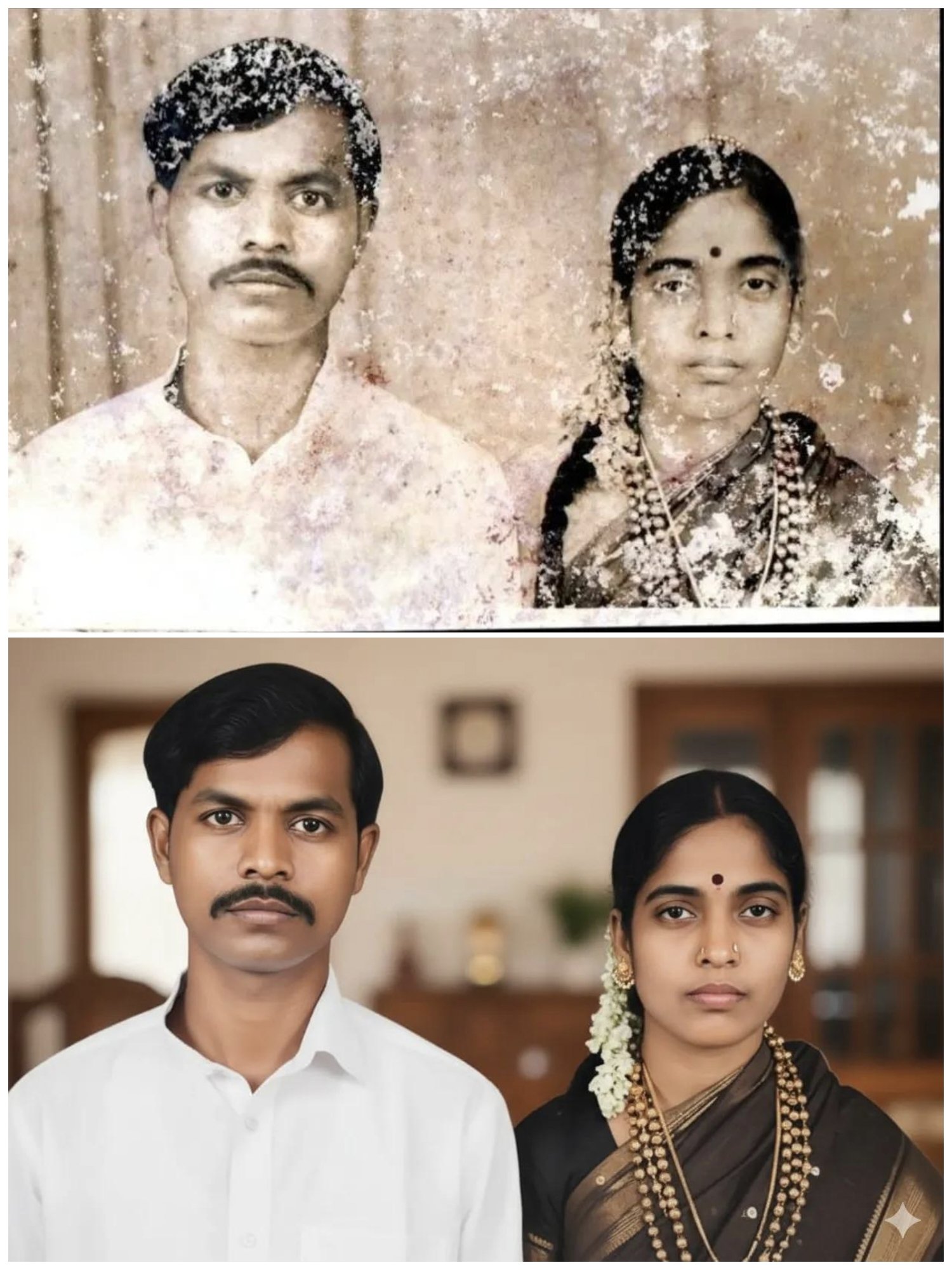
Client request: Restore faded or scanned family photos.
Why it works: People pay for memory safety and clarity.
Best move: Keep identity locked and avoid aggressive sharpening.
Tweak path: Remove 8K wording if it looks too sharp; preserve original tones.
Delivery standard: Clean exposure, stable faces, gentle texture.
Note: Restoration earns trust, and trust creates repeat work.
Client request: A clean, professional family portrait without a studio session.
Why it works: Balanced lighting and a neutral background feel professional.
Best move: Use structured prompts to keep family members consistent.
Tweak path: Add extra subjects in the same structure when the family is larger.
Delivery standard: Even light, clean background, no face drift.
Note: Structure keeps families consistent across edits.
Client request: A nostalgic family shot that feels personal and warm.
Why it works: Nostalgia is an emotional upgrade, not a technical one.
Best move: Keep faces unchanged and add a light flash feel.
Tweak path: Reduce blur if the output feels too soft.
Delivery standard: Soft flash, candid mood, familiar faces.
Note: Emotional mood sells faster than technical perfection.
Client request: Cute, warm kid photos that look real, not filtered.
Why it works: Parents value authenticity over perfection.
Best move: Keep the prompt short and stable.
Tweak path: Add slightly faded colors for a softer memory feel.
Delivery standard: Natural expressions, clean background, no distortion.
Note: Short prompts can still be profitable when the mood is right.
Client request: Holiday or seasonal edits for family posts.
Why it works: Seasonal demand repeats every year.
Best move: Keep lighting warm and the scene simple.
Tweak path: Remove the year and swap holiday words for family gathering if needed.
Delivery standard: Warm interior light, cozy props, clean faces.
Note: Seasonal edits are an easy yearly upsell.
Client signal: "Make me look confident, but do not make me look fake."
Client request: A polished, cinematic profile shot.
Why it works: The lighting feels high-end without heavy retouching.
Best move: Keep the mood, avoid extreme contrast.
Tweak path: Remove the decade label if it feels too retro.
Delivery standard: Clean key light, natural skin, realistic texture.
Note: Classic light reads as polished on social profiles.
Client request: Casual, confident profile image for social.
Why it works: Looks real and easy, not over-edited.
Best move: Keep the light direction stable.
Tweak path: Swap wall textures while keeping the same light.
Delivery standard: Natural skin, clean shadows, believable background.
Note: Realistic street light keeps trust high.
Client request: A clean, professional portrait with minimal style.
Why it works: It is the safest option for most clients.
Best move: Use neutral background and soft light to reduce revisions.
Tweak path: Remove any seasonal text and keep the expression natural.
Delivery standard: Neutral background, soft light, centered framing.
Note: The baseline prompt is the easiest to deliver and resell.
Client request: A lifestyle profile shot with a warm glow.
Why it works: Golden hour feels polished without changing identity.
Best move: Keep shadows soft and avoid heavy glow.
Tweak path: Ask for subtle golden light if the output is too bright.
Delivery standard: Warm tone, clean edges, natural skin.
Note: Warm light adds value fast.
Client request: Attention-grabbing profile for personal branding.
Why it works: Strong light makes the image feel magazine-ready.
Best move: Keep styling simple so the face stays real.
Tweak path: Soften shadow edges if the contrast looks harsh.
Delivery standard: Clean shadows, sharp eyes, balanced contrast.
Note: Editorial looks sell when the face stays real.
Profile work lives on social platforms, so format matters. A 4:5 vertical crop works for most feeds, and a 1:1 crop is safe for avatars. Keep the eyes near the top third of the frame and avoid extreme blur that makes the photo look artificial. Small framing decisions can reduce revisions more than any fancy styling.
Symptom: The face looks like a different person, or the client says it does not feel like them.
Root cause: Missing identity lock line, too many changes at once, or overly stylized wording.
Fix: Repeat the identity line, keep the face unchanged, and revert to a neutral style. Change only one variable at a time.
Why it matters: Identity drift is the fastest path to revisions and refunds.
Symptom: The face looks airbrushed, glossy, or fake.
Root cause: Beauty filter language or heavy style words that push the model toward cosmetics over realism.
Fix: Add "natural skin texture" and "avoid over-smoothing." Remove any lines that mention perfect skin.
Why it matters: Clients pay for improvement, not for a new face.
Symptom: The subject looks pasted into the scene, shadows feel wrong, or the light direction is inconsistent.
Root cause: New scene lighting does not match the reference photo lighting.
Fix: Specify the lighting direction in the prompt and choose a scene that matches the original light angle.
Why it matters: Correct light makes even simple edits feel professional.
Symptom: Misspelled names, broken lines, or unreadable text inside the image.
Root cause: Long text blocks or unclear typography instructions.
Fix: Keep text short, provide exact wording, and place text in a second pass if needed.
Why it matters: Text mistakes are visible at a glance and cost time to redo.
Symptom: Extra fingers, distorted hands, or missing rings in wedding shots.
Root cause: Complex hand poses or insufficient detail around small objects.
Fix: Add a line for natural hands and accurate rings, or reduce hand emphasis by adjusting the crop.
Why it matters: Wedding clients notice hands and rings first.
Rules:
Revision control matters. Offer one small revision after delivery and keep changes scoped to lighting or background, not identity. If a client asks for a completely different style, treat it as a new request and start from the closest prompt. This keeps your time predictable and protects the workflow.
Quick delivery checklist:
Keep your delivery files simple and labeled. Save the original, the final, and the prompt text in a small folder per client. That way you can revise fast without guessing which prompt version worked.
Risk notes:
Note: Fast, stable delivery builds repeat clients faster than fancy edits.
If you are a stay-at-home creator, your advantage is speed and focus. Most clients want clean, repeatable edits, not complicated art. A small prompt library lets you deliver fast and get paid without heavy Photoshop work.
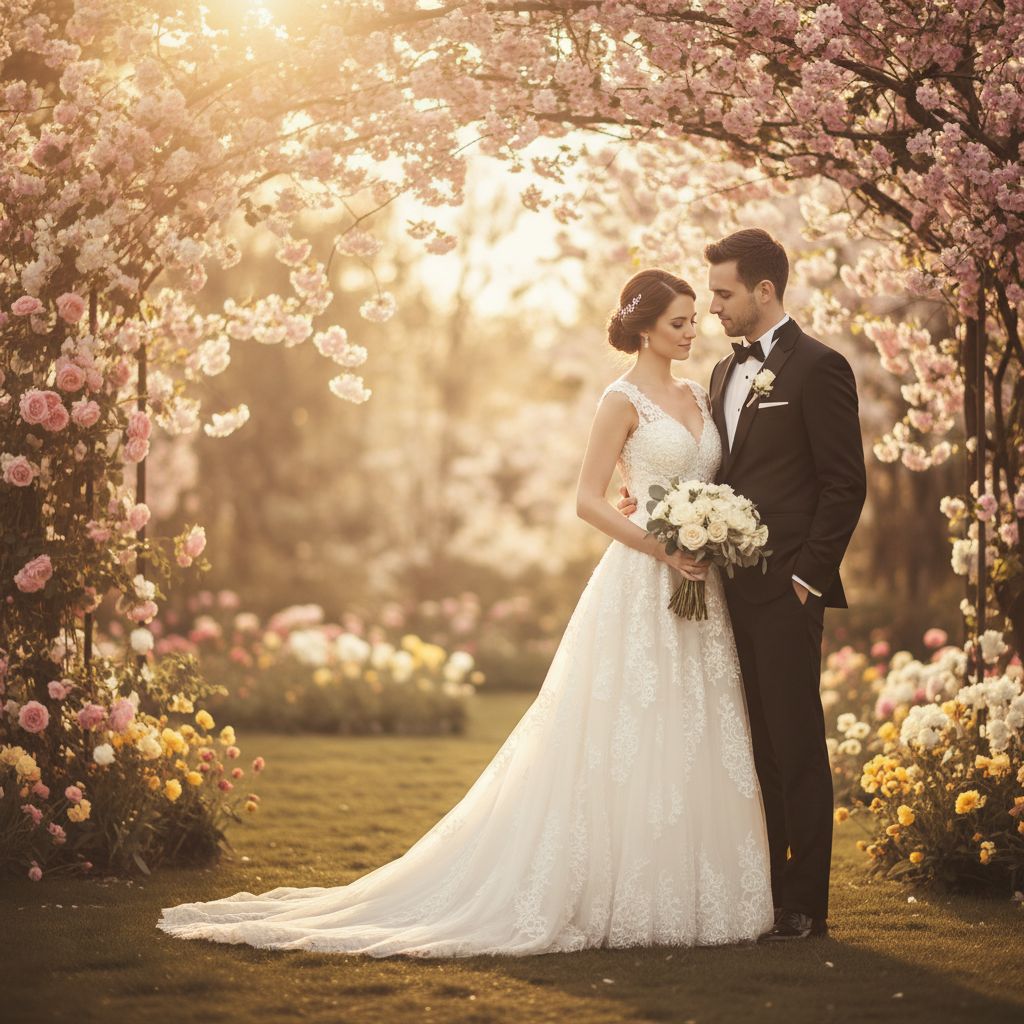
Designs garden wedding portraits in golden hour light

Creates vintage church wedding portraits for couples
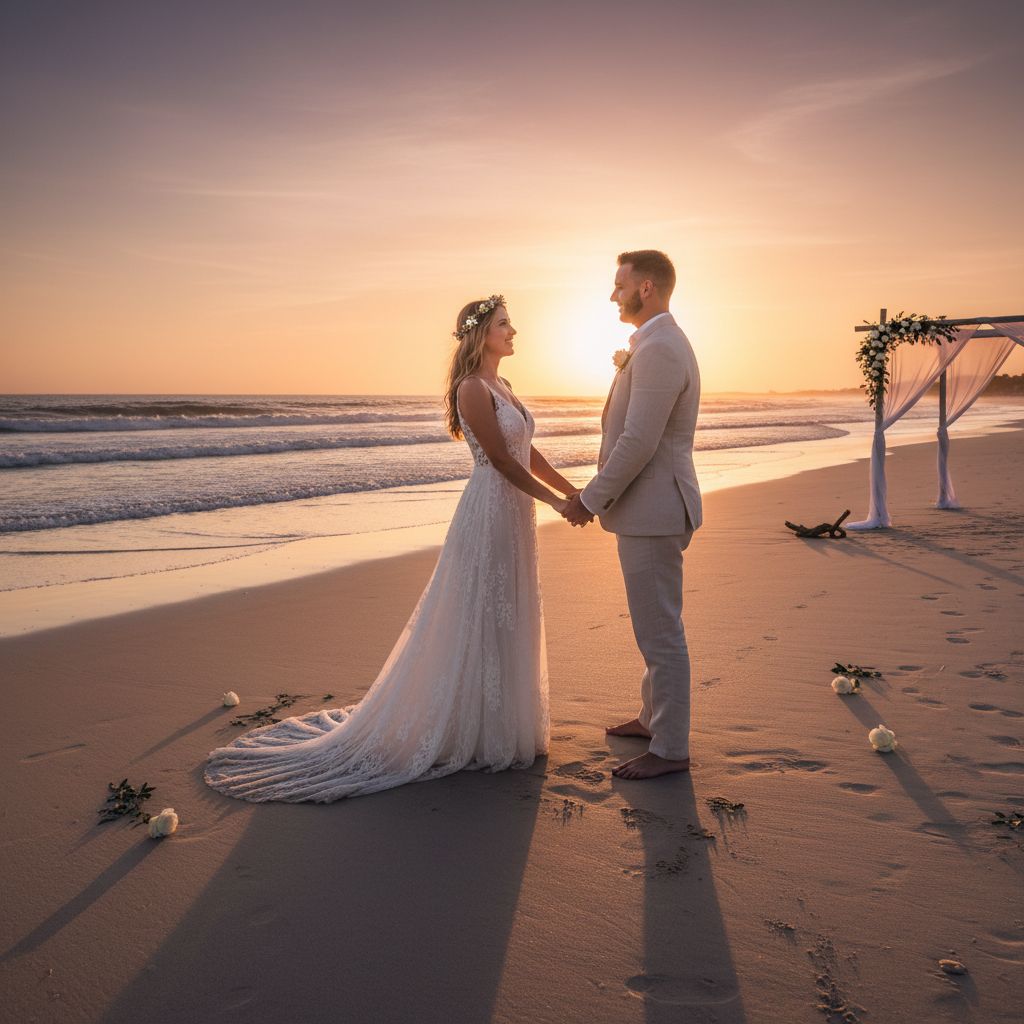
Turns couples into sunset beach wedding portraits
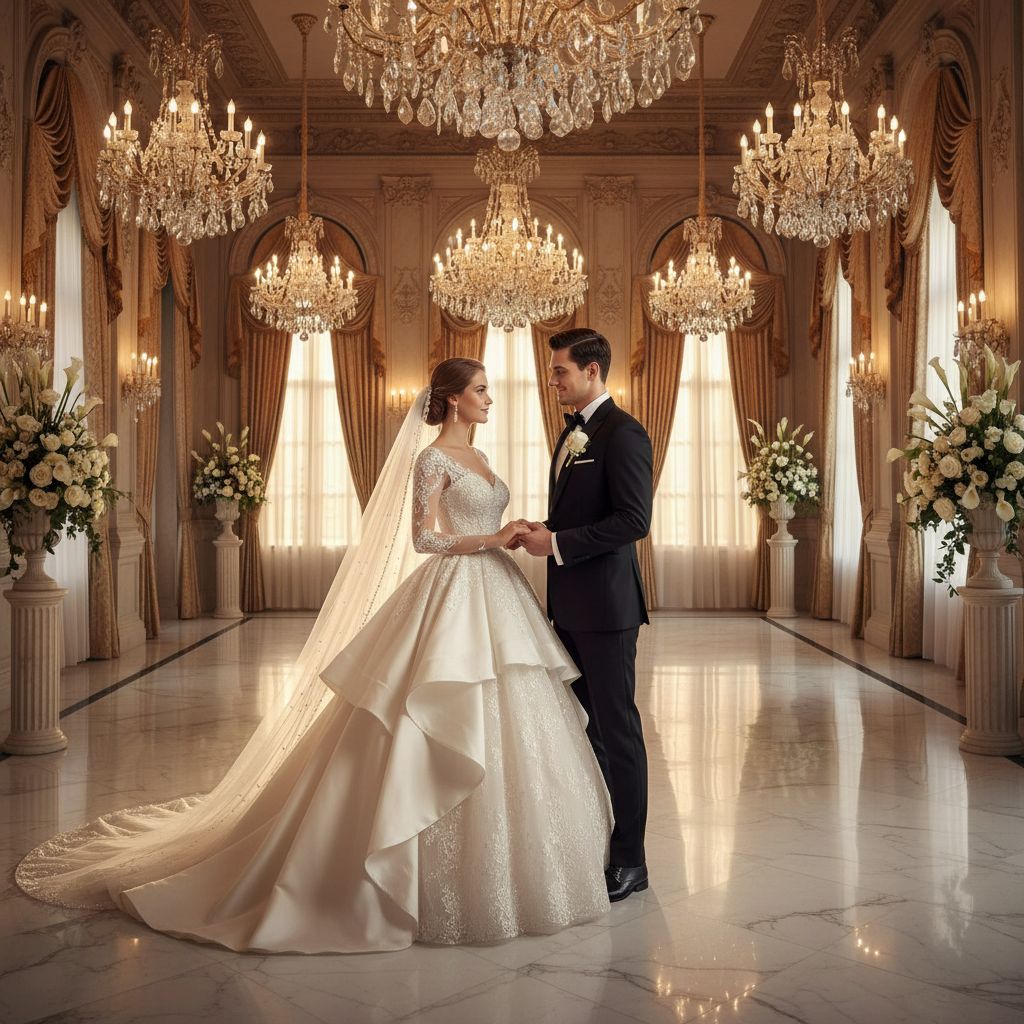
Transform couple photos into ornate ballroom wedding scenes
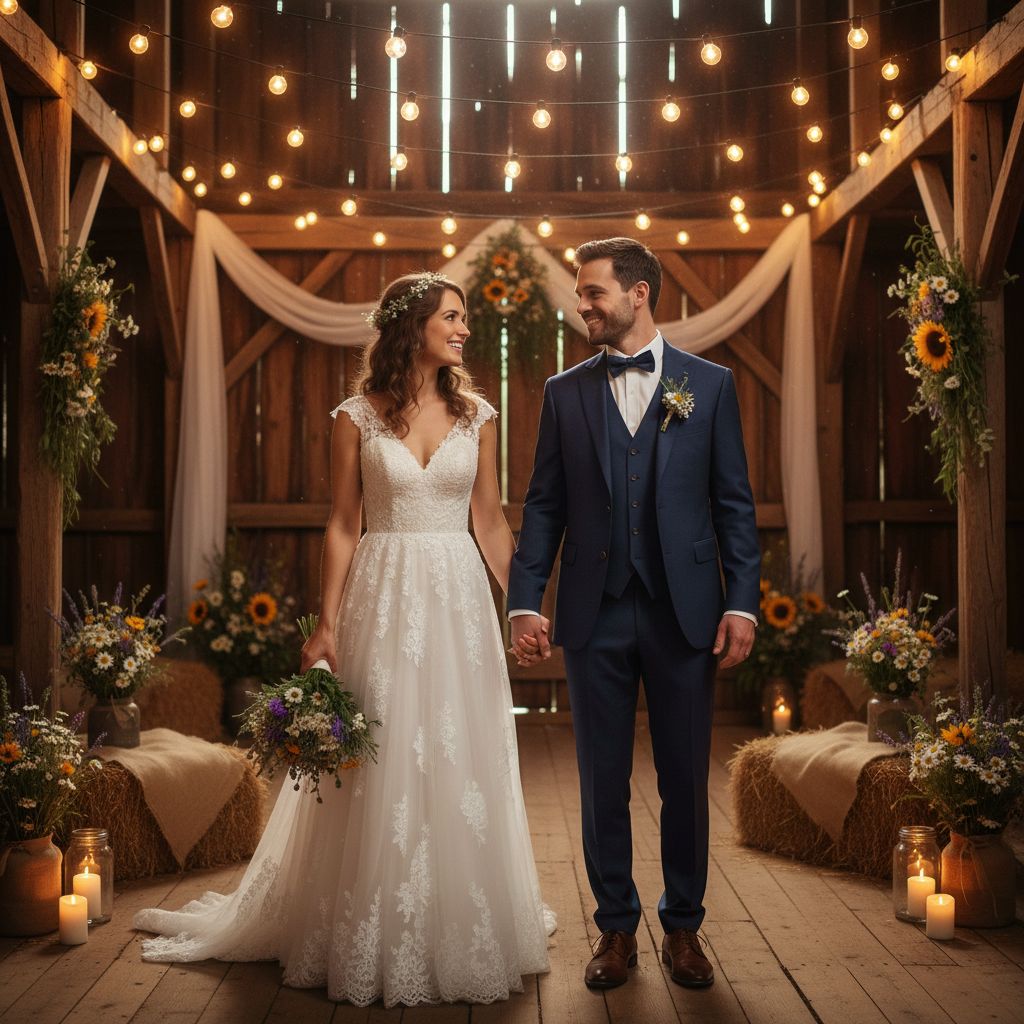
Transform couple photos into rustic barn wedding scenes
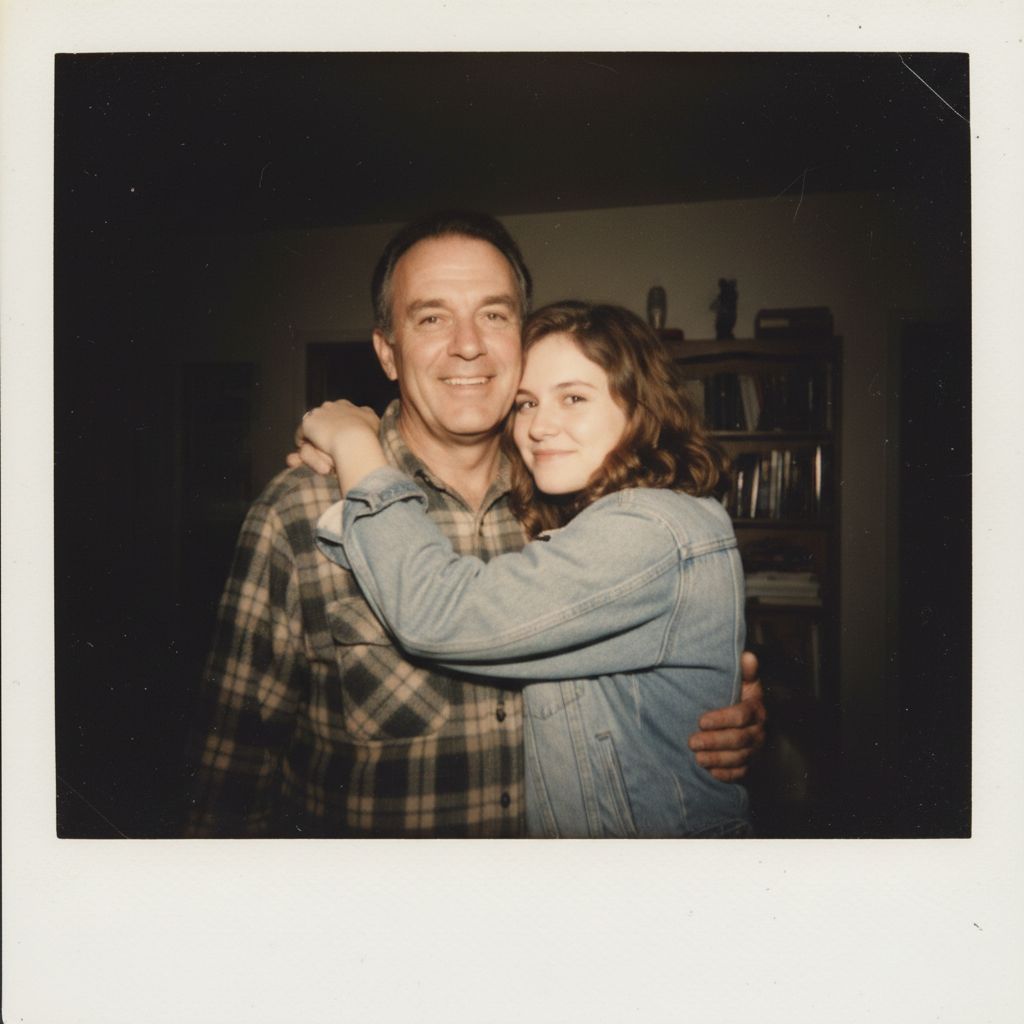
Generates tender father-daughter Polaroid portraits
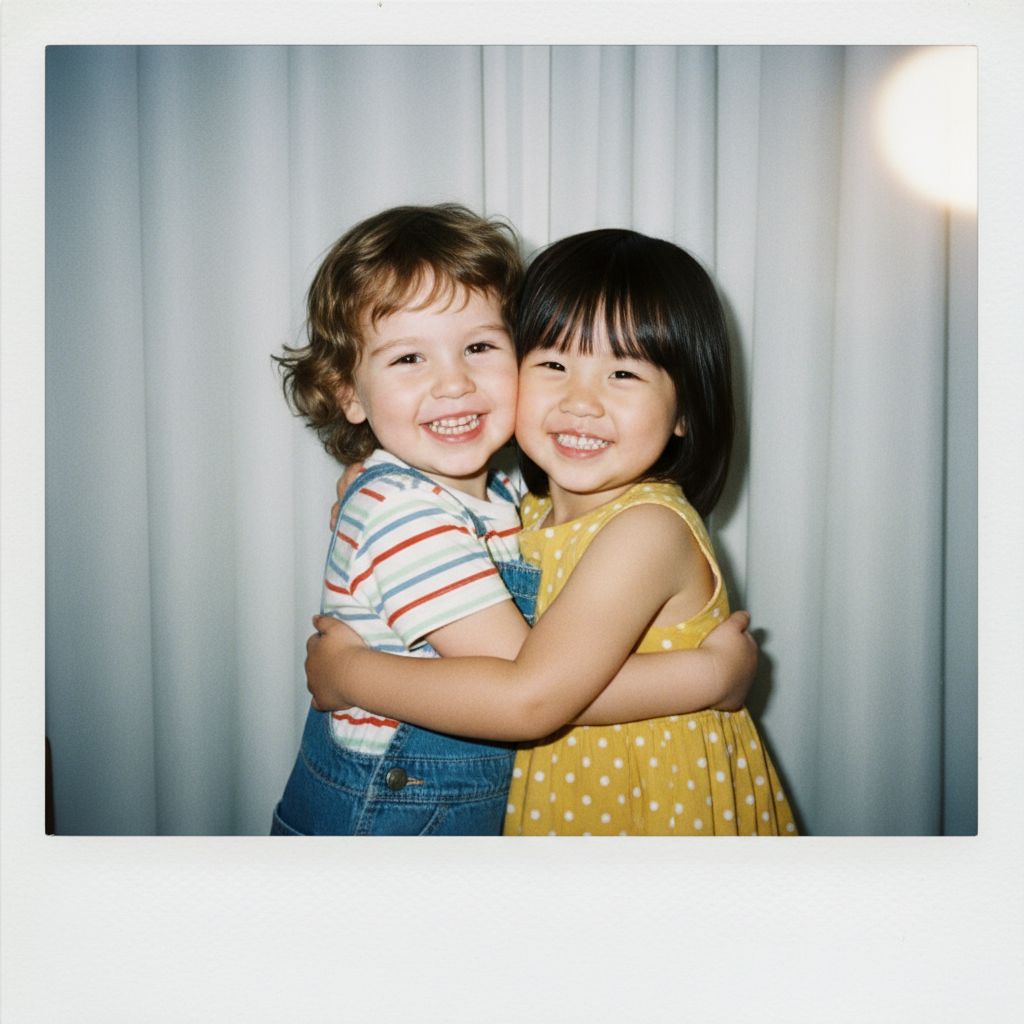
Polaroid-style portrait of two happy kids hugging in front of a white curtain with flash blur.

AI image prompt sample from CyberLink blog (Happy New Year 2026).
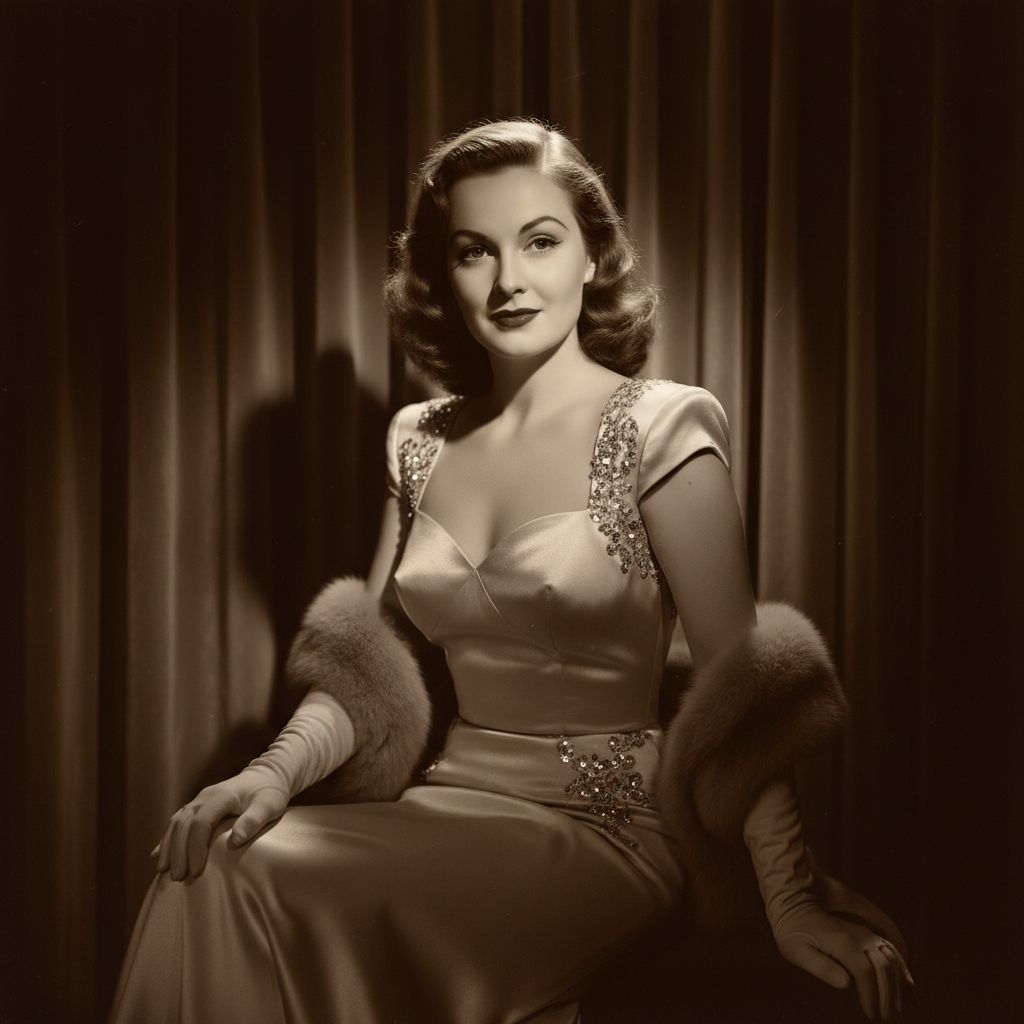
Transform portraits into 1940s Old Hollywood glamour style
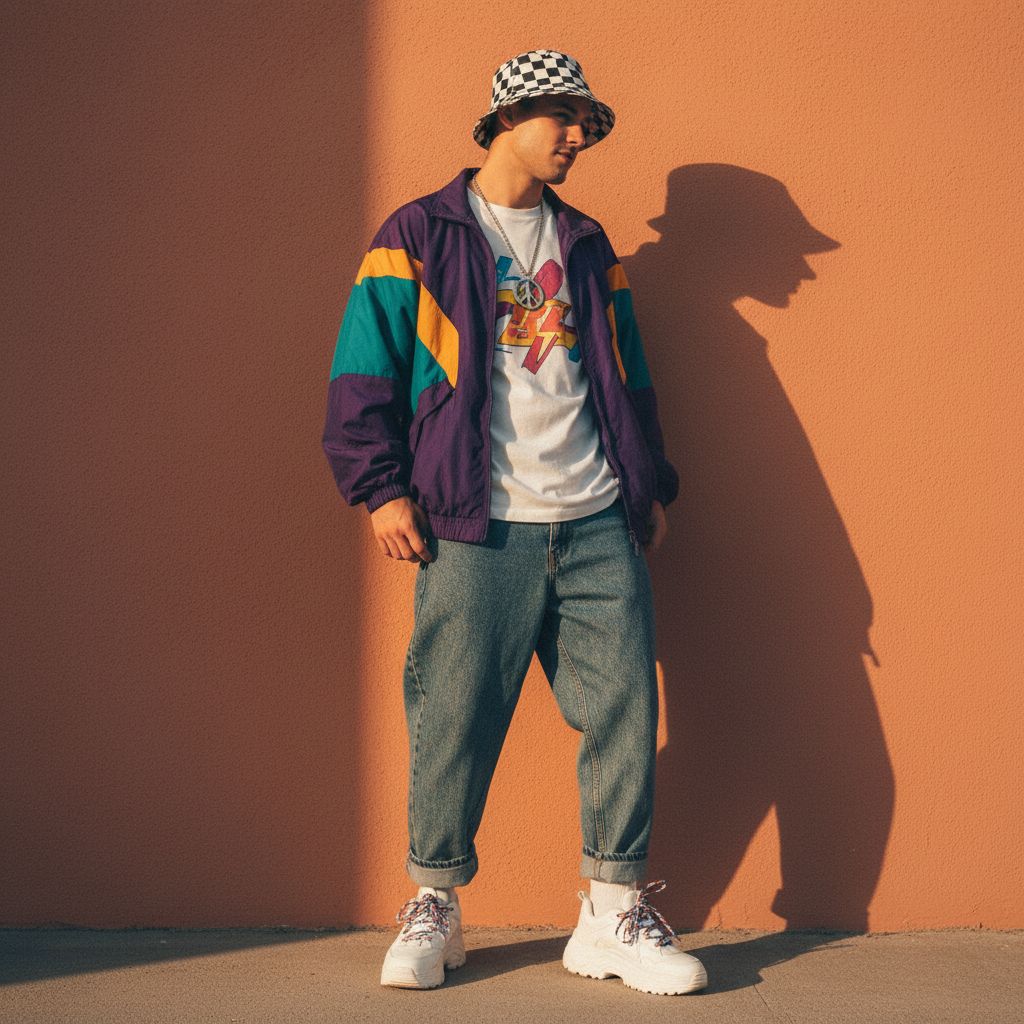
Reimagines portraits as 1990s retro street fashion

Google Gemini AI photo editing prompt from vishwashospital.com. Best for: Profile photos, LinkedIn-style posts. Style: Minimal & professional.

Google Gemini AI photo editing prompt from vishwashospital.com. Best for: Premium posts, reels covers. Style: Classy & elegant.
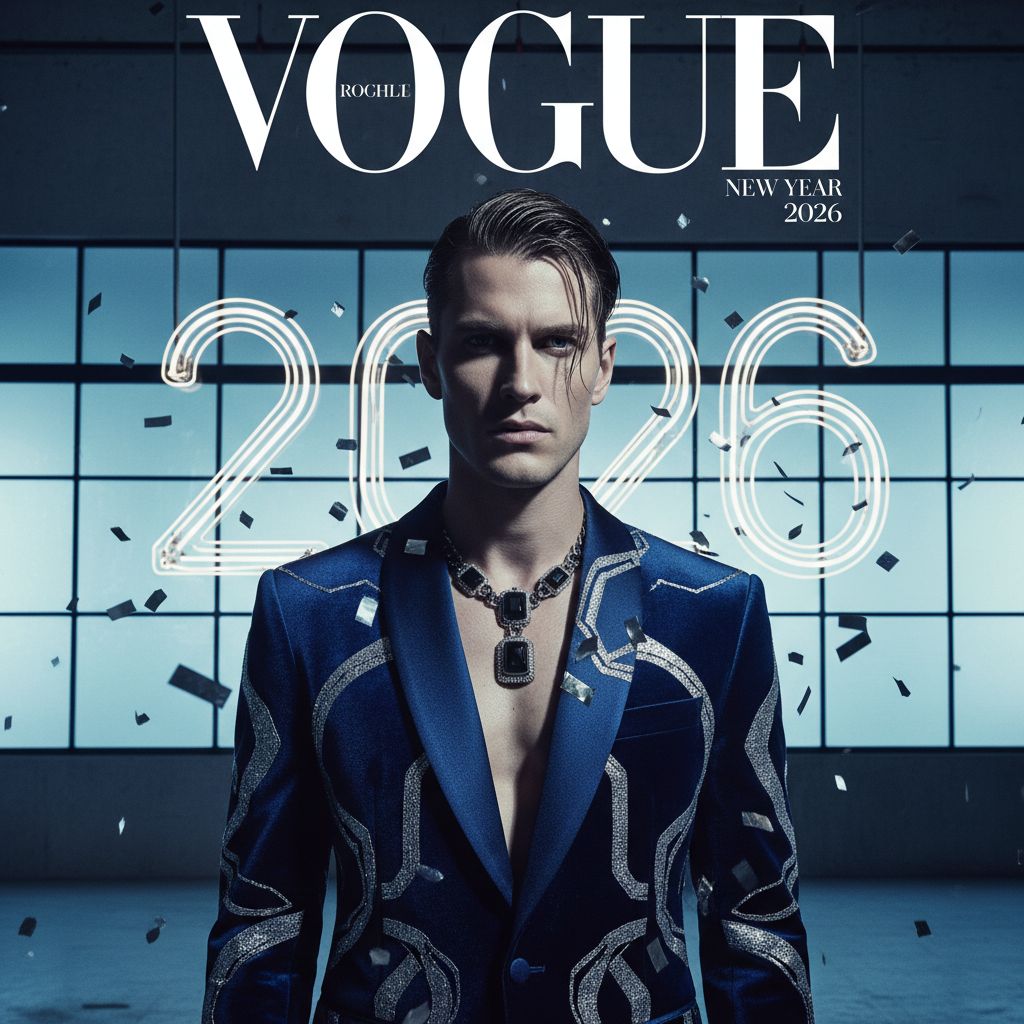
Google Gemini AI photo editing prompt from vishwashospital.com. Best for: Fashion pages, personal branding. Style: Editorial & high-fashion.